
The Z Grill LEr code appears when the grill temperature drops below the minimum operating range for a sustained period. To be specific, a temperature below 120°F when sustained for about 20 minutes is what triggers the code.

The controller expects heat. If it doesn’t see it, it assumes something went wrong and shuts things down for safety. The main reasons behind it are:
- Pellet issues like pellets running out or using moist pellets.
- The grill not igniting during startup.
- Airflow issues due to ash buildup.
I’ll walk you through how this issue causes this error code and the steps you can take to solve it. Let’s begin!
Z Grill LEr Code [Explained & Fixed]
Tired of seeing the Z Grill error code LEr? Don’t worry, you’ll find the right diagnostic and problem-fixing procedure to make it go away in this section.
1. Pellet-Related Issues
When you encounter the LEr code on the Z grill, the first thing you should think about is pellets. Not wiring. Not the controller. Not some mysterious internal failure. In the real world, LEr is almost always a pellet-related problem.
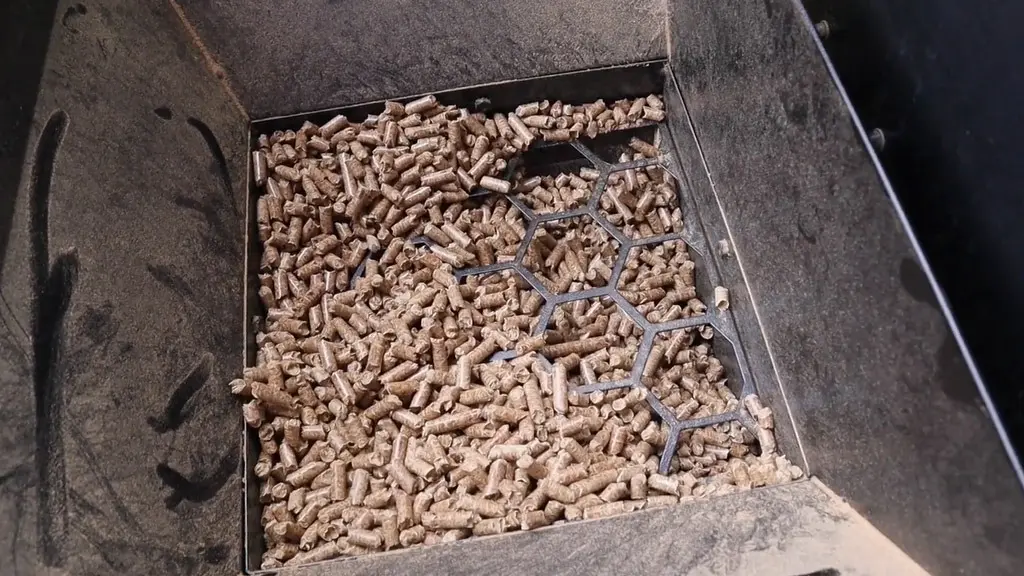
More than 70% of the time, the LEr code is generated by a user fault and not the grill itself. So, the first thing you should check for is embarrassingly simple. But that’s where most people mess up.
The Z Grills temperature sensor usually passes this information to the controller after reading the temperature. The controller then shuts down the heater. That is, in essence, the LEr code.
And in most cases, that happens because the fire failed. When the fire fails, pellets are almost always involved. If you encounter the LEr code in the middle of your cook, it’s most likely due to running out of pellets.
a) Running Out Of Pellets Mid-Cook
This is hands down the most common reason behind the LEr error. The grill can look like it’s running fine, with fans spinning, the auger turning, and the display still on. But if the hopper runs dry mid-cook, the fire slowly dies.
The temperature keeps dropping, and after about 20 minutes below the safe range, the controller steps in and triggers LEr. This usually catches people off guard during long cooks.
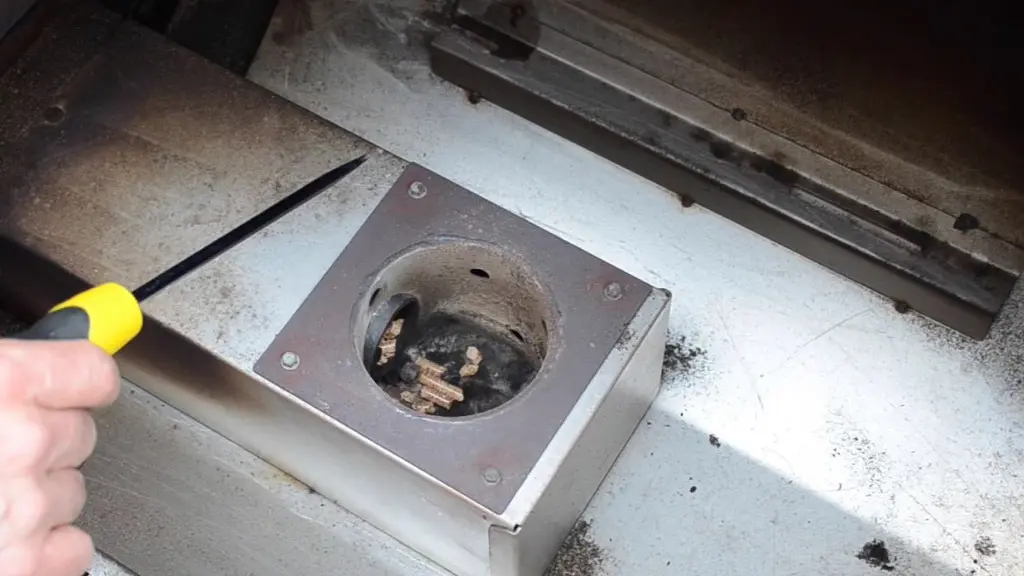
Brisket, pork shoulders, and overnight smokes. You think you had enough pellets, but you didn’t. The grill isn’t broken here. It simply ran out of fuel.
b) Too Many Pellets in the Burn Pot
This one sounds backward, but it happens more than you’d think. If pellets keep feeding in but don’t ignite properly, they start piling up in the burn pot. Once that happens, the igniter can’t do its job. Instead of creating a flame, it gets buried under pellets.
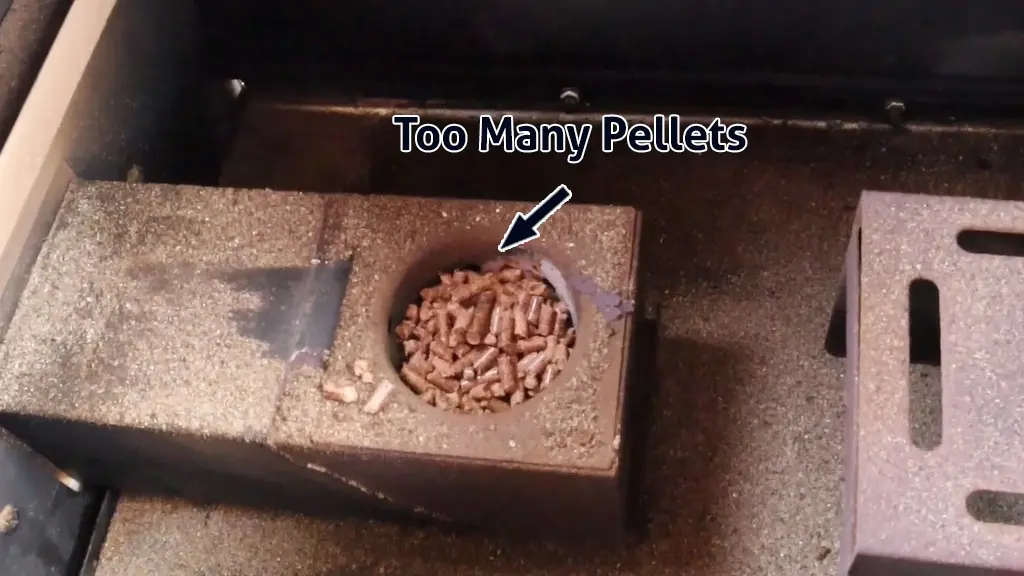
No flame means no heat. No heat means the temperature drops. And eventually, LEr shows up. This usually happens after failed startups, repeated restarts, or ignoring a previous flame-out.
c) Pellet Dust Choking The Fire
Pellet dust is another quiet problem that causes the Z Grills smoker LEr code. Over time, pellets break down and create fine sawdust. That dust collects in the burn pot and air channels. Too much of it restricts airflow, and fire needs airflow just as much as fuel.
When airflow drops, the fire becomes weak or unstable. The temperature slowly falls, and the grill shuts itself down with a low-temperature error. This is especially common with low-quality pellets or pellets that have been sitting around for a long time.
d) Wet Pellets
Wet pellets don’t burn properly. They swell, smolder, and fall apart instead of igniting cleanly. Humidity, rain, uncovered smokers, or poor storage can all lead to moisture getting into the pellets.
Even slightly damp pellets can cause ignition problems. When pellets don’t burn hot enough, the grill struggles to maintain temperature. If that continues, LEr is the result.
Solution:
If LEr keeps showing up and pellets are involved, follow these steps in order. Do not skip ahead.
Step 1 – Check Pellet Level First
Open the hopper and verify you actually have pellets. If you are low or empty, refill with fresh, dry pellets. Restart the grill on Smoke mode, let the fire establish properly, then bring it back up to your cooking temperature.
Doing this alone fixes most LEr errors. If you want step-by-step instructions on how to do this, I have written a dedicated section on it below. Keep on scrolling to learn more about it. For now, just check all the steps.
Step 2 – Clear The Burn Pot Completely
If pellets are present but the grill still won’t hold temperature, shut everything down. Turn the grill off, unplug it, and let it cool fully. Remove the grates, grease tray, and heat deflector so you can access the burn pot.
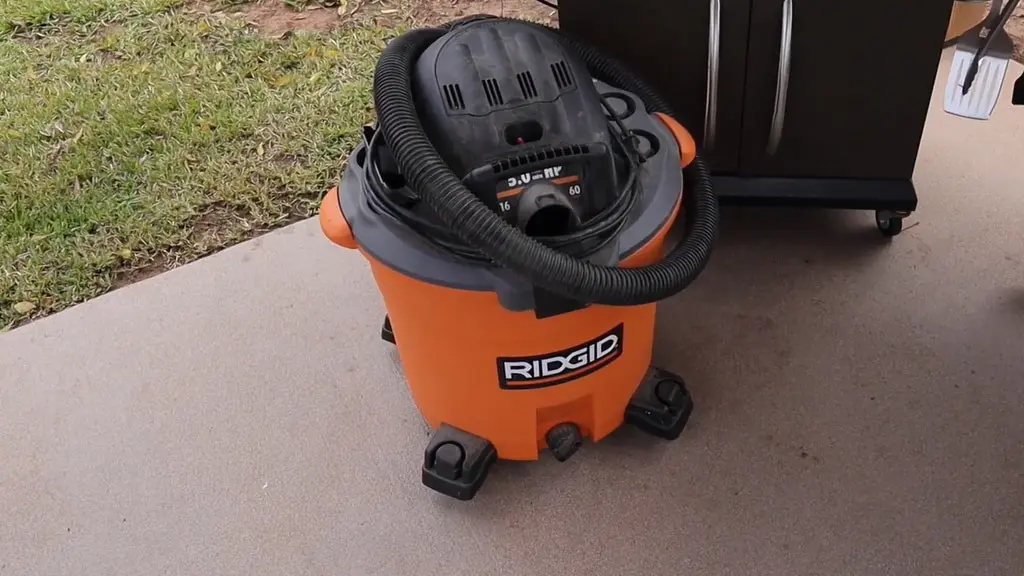
Vacuum out all pellets and ash. Do not leave anything behind. A clean burn pot is critical for proper ignition. Reassemble and restart the grill normally.
Step 3 – Remove Pellet Dust
While cleaning, vacuum any visible pellet dust around the burn pot and feed area. If you see dust buildup, that is already enough to cause airflow problems. A clean combustion area is essential for stable heat.
Step 4 – Moist Pellet Clean Out (Important If Pellets Got Wet)
If wet or damp pellets caused the fire to go out, you cannot fix the problem by simply adding more pellets on top. Moist pellets contaminate everything they touch, and as long as they are still sitting in the system, the grill will continue to struggle.
The only real fix is to clear them out completely and start fresh. I have a dedicated section on it. Explore the rest of the steps now, and if you need more information on doing a moist pellet cleanout, check out that section below.
Step 5 – Inspect Pellet Quality
Grab a handful of pellets and check them. They should be hard and crunchy. If they crumble easily, feel soft, or look swollen, throw them out. Do not try to burn through bad pellets. Always store pellets in sealed containers, especially in humid or rainy environments.
Step 6 – Maintain Ash Regularly
This is both a fix and a preventive measure. Ash buildup slowly kills heat output. Vacuum the burn pot and firebox every 10 to 12 hours of cooking time. If you do long cooks often, clean even more frequently. A clean fire equals a stable temperature. Stable temperature prevents LEr.
How To Recover After Running Out of Pellets Mid-Cook
When the grill runs out of pellets, the grill is not broken. It simply ran out of fuel, and now the auger tube is empty. To get the grill going again, you have to re-prime the system properly.
Follow these steps in order, and do not rush the process.
Step 1 – Access The Fire Pot
Start by acknowledging that the fire is out and the grill needs time to recover. If you have food inside, take it out immediately. Wrap it in foil and place it in the oven, or set it aside temporarily.
Re-priming the auger takes time, and leaving food in the grill while it struggles to restart will only dry it out or ruin it. Next, remove the grill grates, grease tray, and heat baffle.
You need a clear view of the firepot so you can see exactly when pellets start feeding again. This visibility is important, and skipping this step usually leads to guesswork and failed restarts.
Step 2 – Re-Prime The Auger With Pellets
Add fresh pellets to the hopper. At this point, the auger tube is empty, so the grill cannot make a fire until pellets reach the burn pot again. Instead of starting on Smoke, turn the controller to HIGH.
This keeps the auger running longer and feeds pellets faster, helping refill the empty tube more quickly. Even then, it will take about five to six minutes before pellets begin dropping into the firepot. Be patient and watch closely.
Once you see pellets falling into the fire pot, immediately turn the controller to the Shutdown Cycle and then straight back to Smoke. This restarts the igniter rod so it can properly ignite the fresh pellets.
Step 3 – Confirm Ignition and Resume Cooking
After switching back to Smoke, watch for visible smoke. Smoke means the pellets have ignited and the fire is rebuilding. Once the fire is stable, bring the grill back up to your target temperature as you normally would.
When the temperature is steady again, reinstall the baffle, grease tray, and grates. Put your food back in and continue cooking where you left off.
To avoid this situation in the future, plan your pellet usage properly. On low and slow cooks, expect to use roughly one pound of pellets per hour. On high-temperature cooks, expect closer to double that.
Keeping enough pellets in the hopper prevents flame-outs, low-temperature errors, and unnecessary interruptions mid-cook.
How To Clean Out Z Grill Moist Pellets
The first thing you need to do is shut the grill down and let it cool fully. Do not rush this part. Working on a warm grill just creates more problems and increases the risk of burns or damaged components.
Once the grill is cool, open the hopper and remove most of the pellets inside. If there is a guard or screen blocking access, take it out so you can clearly see where the auger pulls pellets in. The goal here is to remove enough pellets so you are no longer feeding damp fuel into the system.
Next, remove the grease tray and the heat baffle so you can look directly into the burn pot. This gives you visibility and access to where the pellets are actually igniting or failing to ignite.
Now restart the grill normally. As soon as you see a flame appear in the burn pot, turn the controller up to HIGH. This forces the auger to feed pellets at a faster rate, so any remaining pellets trapped in the auger tube can be pushed through and burned off.
Keep the grill on HIGH with the lid open until pellets stop dropping into the burn pot and the fire burns itself out.
This usually takes around 10 to 15 minutes. At some point during this process, the controller may throw an LEr error again. That is expected and not a problem. It simply means the fire has gone out after clearing the pellets.
If the pellets are very wet and the fire cannot stay lit long enough to burn them off, you will need to remove them manually as they fall into the burn pot. Do not use a vacuum if the pellets are hot. Instead, carefully scoop them out and repeat the startup process until no more pellets are being fed from the auger.
Once everything has cooled down again, vacuum the hopper and burn pot thoroughly. This step matters. Any leftover moisture, dust, or pellet debris can restart the same issue.
Finally, add fresh, completely dry pellets to the hopper and go through the normal startup process. Let the auger prime properly before cooking. Once the fire is established and the temperature stabilizes, the grill should run normally again without triggering the LEr error.
2. Grill Fails To Ignite During Startup
Another major reason behind the LEr error happens right at startup. The grill turns on, pellets feed in, but the fire never properly establishes. After a few minutes, the temperature stays too low, and the controller shuts everything down with a low temperature error.
From the grill’s perspective, this is expected behavior. During startup, it is waiting to see the heat. If the fire does not establish within the first few minutes, the controller assumes something is wrong and cuts power.
It does not care whether the issue is pellets, airflow, or ignition. All it knows is that the grill is cold. When this happens, the problem almost always comes down to ignition failure or lack of airflow.
Solution:
The first thing you should always confirm during startup is whether a fire is actually forming. Start the grill on Smoke mode with the lid open and remove the grates, grease tray, and heat baffle so you can see the firepot directly.
Within the first few minutes, you should see smoke. Smoke means ignition is happening. No smoke means the fire never started. If pellets are dropping into the firepot but nothing is igniting, the ignition rod is the first thing to check.
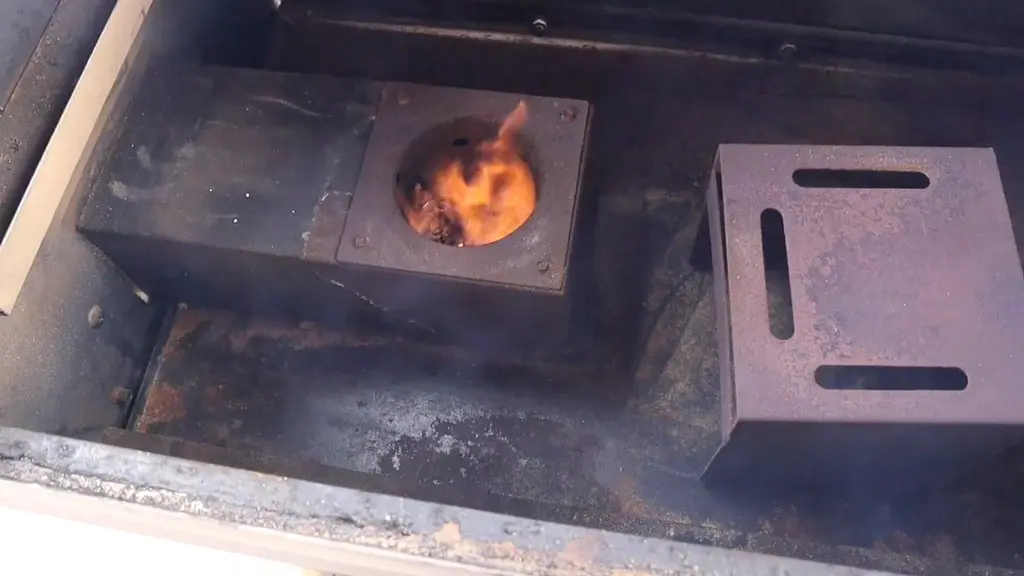
During startup, the igniter, also called the hot rod, should glow red and get hot. The igniter is one of the more important Z Grill parts. That heat is what lights the pellets. If it does not glow, pellets will continue feeding without ever catching fire.
The firepot may fill with pellets, but heat will never build. In that situation, LEr is unavoidable. Failed igniter rods are less common and usually show up on older units, but when they fail, replacement is the only real fix.
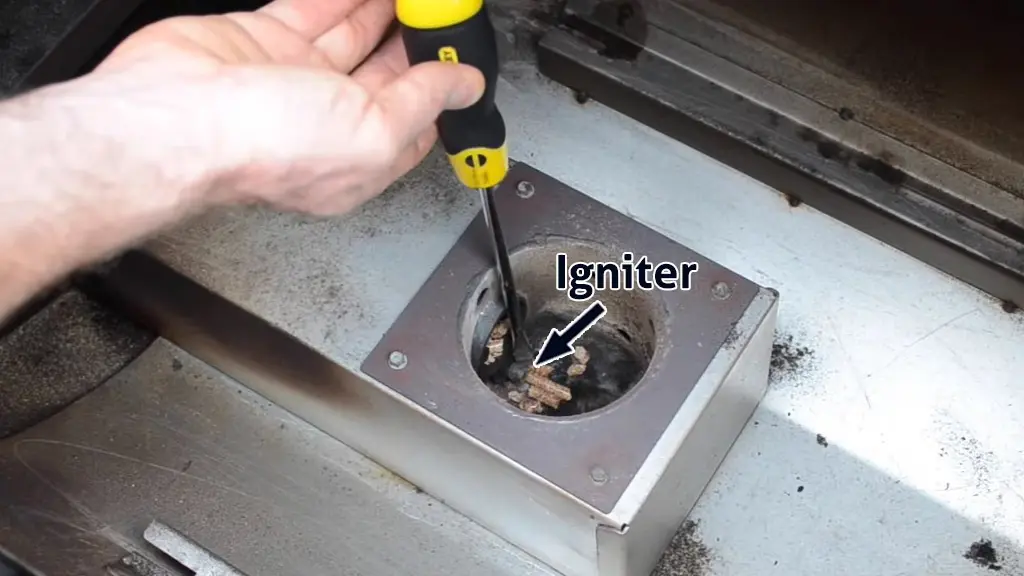
If the igniter appears to be working, airflow is the next critical factor. The fan is responsible for pushing air into the firepot so the pellets can burn properly.
You should clearly hear the fan running when the grill is on. You should also feel air being blown toward the fire-pot area. Without airflow, pellets may smolder slightly, produce weak smoke, or go out completely.
A non-working or blocked fan will cause the firepot to fill with pellets during startup without establishing a real flame. This creates the illusion that pellets are feeding correctly, but combustion never stabilizes.
If you suspect a fan issue, unplug the grill and inspect the fan from underneath. Look through the openings in the bottom cover or remove the cover temporarily to get a clear view.
It is not uncommon for insects, spiders, geckos, or even small frogs to crawl inside and physically block the fan blades. If the fan looks clear, gently spin it by hand using a screwdriver with the power off. It should spin freely. If it does not, something is binding it.
After clearing any obstruction, plug the grill back in and attempt startup again. If the fan still does not run, the fan motor itself may have failed and will need replacement.
The bottom line is simple. During startup, the grill must establish a fire quickly. That requires three things: pellets, ignition, and airflow. If any one of those is missing, the temperature will stay low, and the controller will shut the grill down with an LEr error.
No ignition, no airflow, or no fire all lead to the same result. And once the grill decides it is not getting hot enough, LEr is the inevitable ending. But when you fix these things, the LEr code should no longer appear.
3. Ash Buildup Blocking Airflow
Ash buildup is one of those problems people ignore because it does not look serious at first. The grill still turns on, pellets still feed, and sometimes the fire even starts. But underneath all of that, airflow is slowly being choked off. But make no mistake, it can still cause the Z Grills pellet smoker LEr code.
The fire in a pellet grill needs space to breathe. As ash accumulates in and around the firepot, it blocks the air coming from the fan. When that happens, the fire becomes weak and unstable.
It may light briefly, smolder for a while, or go out completely. Once the temperature fails to rise or drops too low for too long, the controller throws the LEr error and shuts everything down.
This issue can show up during startup or mid-cook. During startup, ash can prevent the fire from ever establishing properly. Mid-cook, it can slowly kill an otherwise healthy fire until the grill can no longer maintain temperature.
Solution:
Start by shutting the grill down completely and unplugging it. Let everything cool before touching anything inside. Remove the grill grates, grease tray, and heat baffle so you can access the firepot and surrounding area.
Vacuum all ash out of the firepot, not just what you can easily see. Make sure the air holes around the firepot are clear and not packed with fine ash. Do not stop at the fire-pot. Vacuum the surrounding chamber as well, especially areas where ash tends to collect over time.
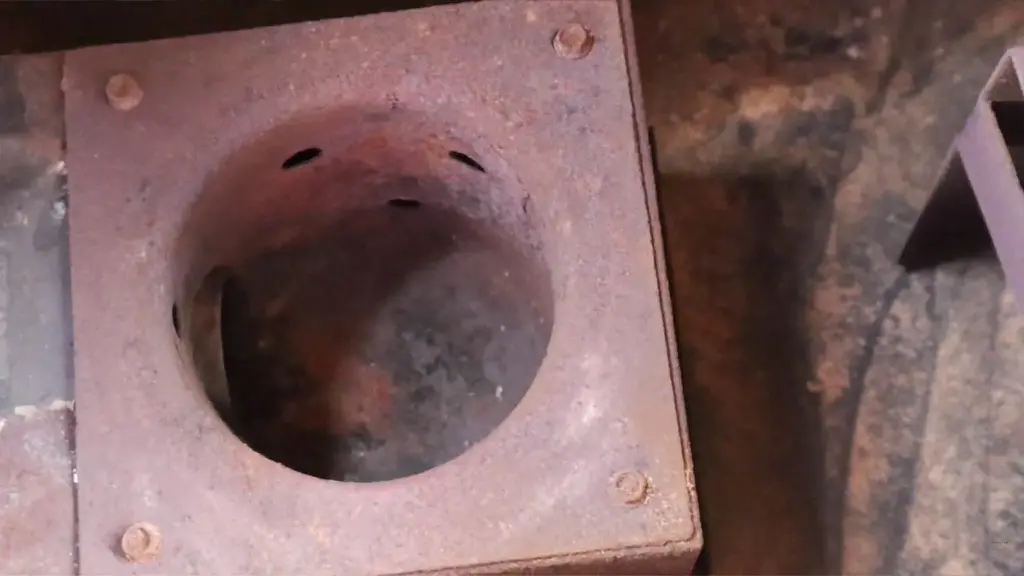
As a general rule, the firepot and combustion area should be vacuumed every 10 to 12 hours of cooking time. If you do long cooks or use the grill frequently, clean the grill even more often.
Once airflow is restored, the fire can breathe properly again. Stable airflow leads to stable heat, and stable heat prevents the LEr error from coming back.
FAQs
Does the pellet brand affect the chances of getting LEr?
Absolutely. Low-quality pellets produce more dust, inconsistent burns, and weaker heat. This makes it harder for the grill to maintain temperature and increases the chances of flame-outs and LEr errors.
Should I reset the controller after an LEr error?
In most cases, simply fixing the root cause and restarting the grill is enough. A full reset is rarely needed unless the grill keeps shutting down immediately after startup.
Will opening the lid too often cause an LEr error?
Yes, repeatedly opening the lid can drop the internal temperature significantly. If the grill cannot recover fast enough and stays too cool for too long, the controller may trigger the LEr code.
Can cold outdoor weather cause the Z Grill LEr code?
Extreme cold can make it harder for the grill to maintain temperature, especially during startup. If pellets, ignition, and airflow are already marginal, cold weather can push the grill into an LEr shutdown.
How often should I check pellets during long cooks?
For long or overnight cooks, it’s smart to check pellet levels every few hours. Pellet consumption increases with temperature, wind, and cold weather, so don’t rely on estimates alone.
Does the LEr code mean the temperature sensor is faulty?
Not usually. The temperature sensor is only reporting what it sees. Most LEr cases are caused by real heat loss, not a bad sensor. Sensor failure is far less common than pellet or airflow issues.
Conclusion
Now you know what actually causes the Z Grills LEr code and how to fix it properly. In most cases, it comes down to the fire not being established or failing to stay lit due to pellet, ignition, or airflow issues. Once those basics are corrected, the LEr error usually disappears for good.
If the problem is caused by something else, the rest of this guide should help you diagnose it step by step. I also have a dedicated guide on fixing the Z Grill HEr code. Check that out if you run into that issue next.

